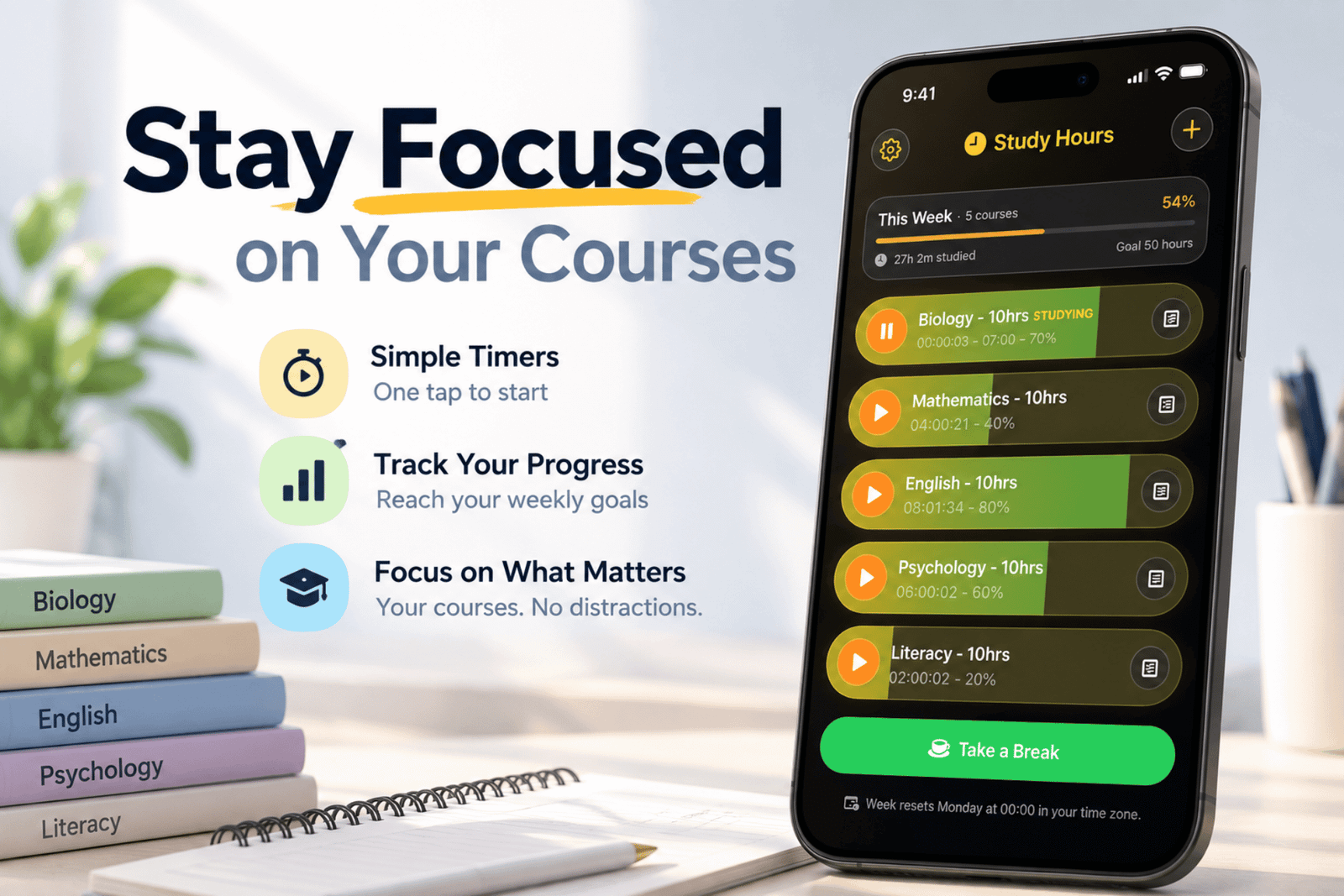
Studying consistently sounds simple until several courses start competing for your attention.
You might spend hours working during the week and still wonder whether you are actually giving enough time to Mathematics, Biology, English, or that one course you keep putting off until the weekend.
That is the problem Study Hours was designed to solve.
Study Hours is a simple study-time tracker for students. Instead of filling your screen with assignments, calendars, productivity systems, and complicated statistics, it focuses on one question:
Am I spending enough time on each of my courses this week?
Give Every Course a Weekly Goal
When you add a course, you choose how much time you want to dedicate to it each week.
For example, you might decide on:
- Biology — 10 hours
- Mathematics — 8 hours
- English — 6 hours
- Psychology — 5 hours
Once your courses are set up, Study Hours gives you a clear picture of where your time is going.
You can immediately see which courses are on track and which ones need more attention before the week is over.
Just Tap and Start Studying
There is no complicated time-entry process.
When you begin studying a course, simply tap it to start the timer. Tap again when you are finished.
If you start studying another course, the previous timer automatically stops. That means you never have two courses accidentally tracking time at the same time.
Study Hours quietly keeps track while you focus on the actual work.
See Your Progress Before You Fall Behind
One of the hardest parts of managing several courses is realizing too late that one of them has been neglected.
Study Hours makes that visible.
Each course shows how much of its weekly study target you have completed. As your study time increases, the progress indicator fills up. When you reach your weekly target, you know that course has received the attention you planned for it.
Instead of reaching Sunday night and thinking, I barely touched Chemistry this week, you can see the problem while there is still time to do something about it.
Fix the Time You Forgot to Track
Not every study session starts with a timer.
Maybe you read for an hour at the library and forgot to start Study Hours. Or perhaps you accidentally left a timer running too long.
You can quickly add or remove study time manually, making it easy to keep your weekly totals accurate.
Build a More Balanced Study Routine
Study Hours is not intended to tell you how to study.
It is designed to help you become more aware of where your study time is actually going.
A student can feel busy all week while unintentionally spending most of their time on the courses they enjoy or the assignments that feel most urgent.
Seeing your weekly time across every course makes it easier to build a balanced routine and make deliberate decisions about what deserves your attention next.
A New Week, A Fresh Start
Study Hours works around a simple weekly cycle.
At the beginning of each week, your progress starts again and you work toward your study goals for each course.
That makes the app useful as a lightweight weekly habit rather than another complicated school-management system you have to maintain.
Set your targets.
Study.
Watch your progress build.
Then start again next week.
Simple on Purpose
There are already plenty of apps for managing assignments, class schedules, notes, flashcards, and calendars.
Study Hours does something much smaller.
It helps you answer:
How much time have I actually spent studying each course this week?
For students trying to stay consistent, balance several courses, and avoid falling behind, sometimes that simple answer is exactly what is needed.
Study Hours is available for iPhone and iPad.