
Scan Product Barcodes Into a List on iPhone
A colleague needs the product codes for a few items on your shelves. You’re standing beside the products, but the computer is behind the counter. Rather than carry everything over or type each number into your phone, scan the labels where they are.
Barcode Scanner & Copy lets you scan multiple product barcodes into a list on your iPhone or iPad. Review the numbers, copy them for pasting into a spreadsheet, email the list, or save a text file.
No account required. Scanning works offline.

1. Scan your product labels
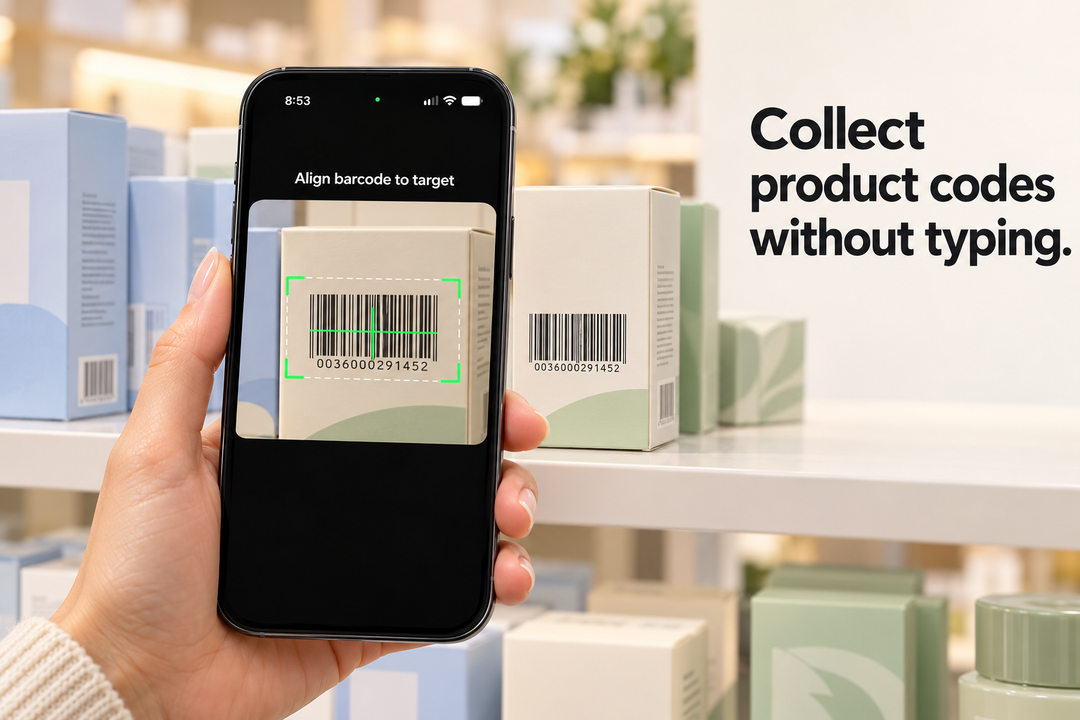
Tap Scan and point your camera at a product’s UPC or EAN barcode. The barcode number is added to your list.
Scan one product at a time for free. With PRO, keep the camera open and scan labels one after another.
2. Check your barcode list
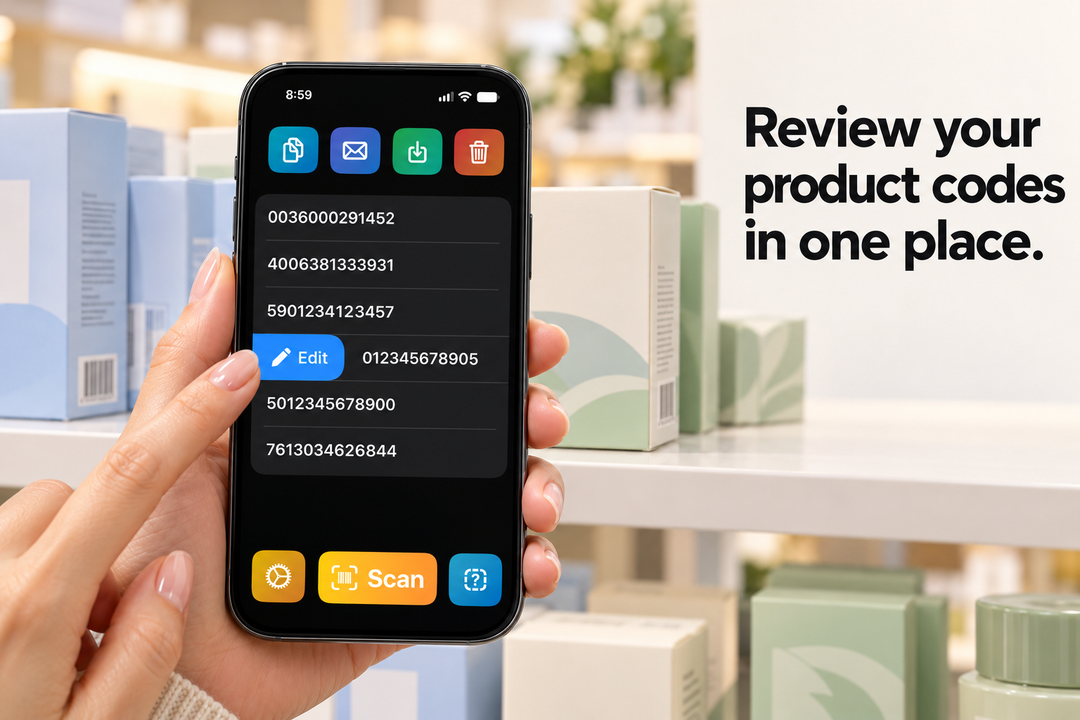
Review the collected numbers before sharing them. Edit an entry or delete an unwanted scan. Your list stays saved on your device between uses.
PRO duplicate filtering skips codes already in your list when you only need each product code once.
3. Copy product barcode numbers to Notes app
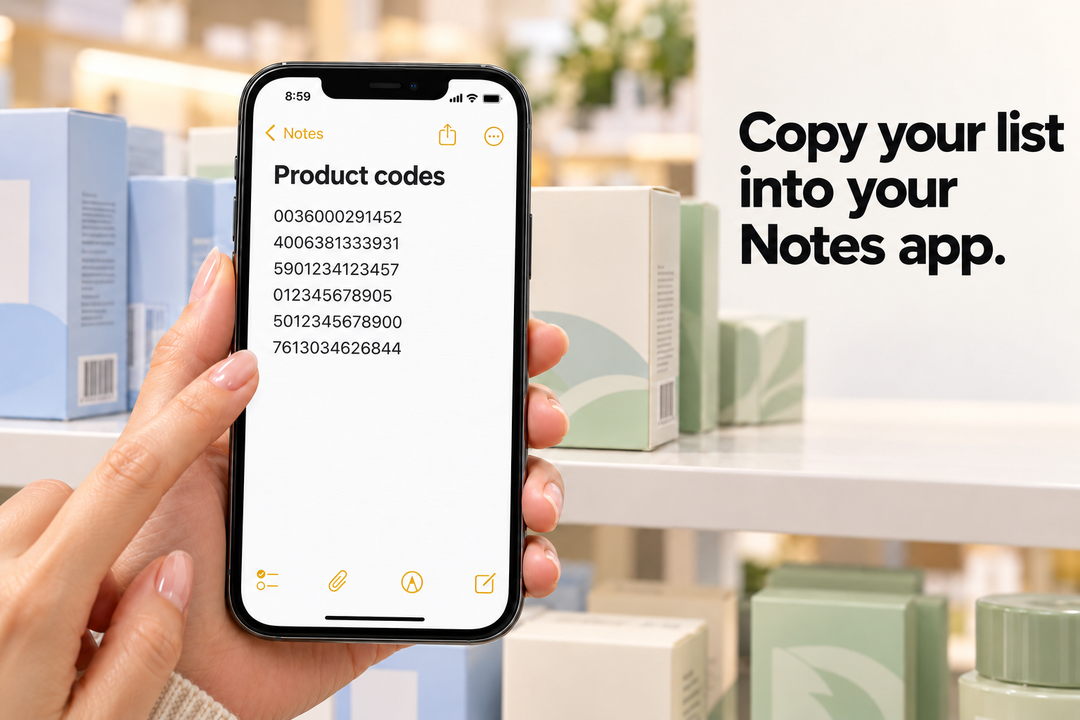
Copy your list to the clipboard, then paste the barcode text into your Notes app.
You can also save the list as a plain-text file for later use.
Scan and email product barcodes
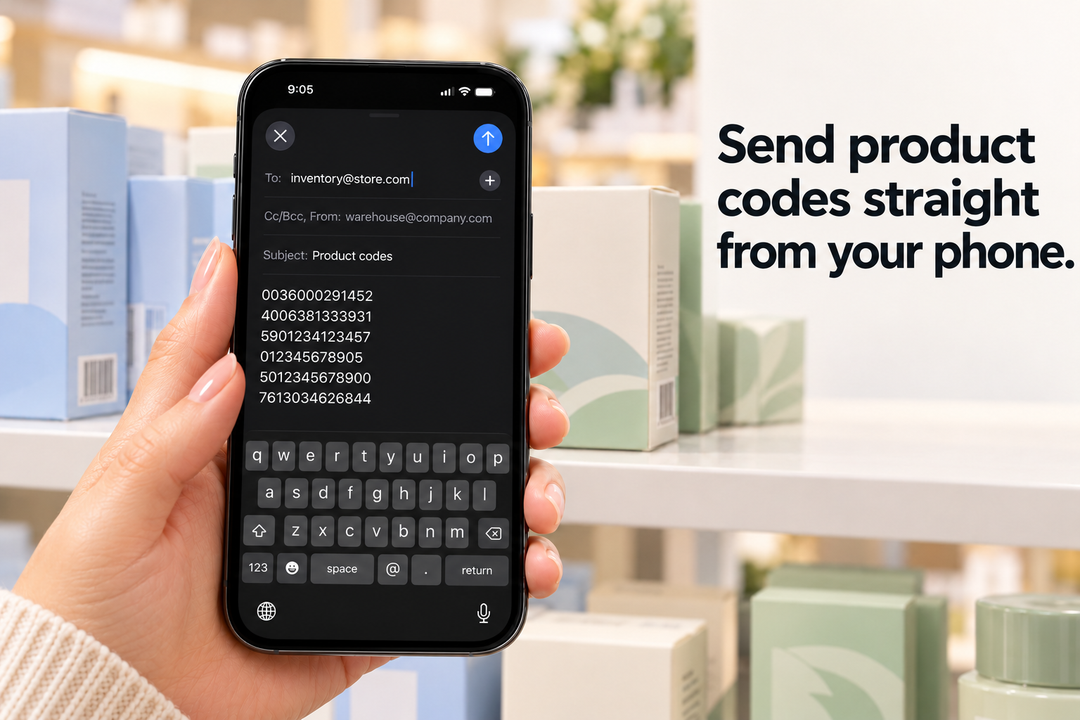
Send collected product codes to a colleague responsible for ordering, product records, or stockroom administration. Tap the email option to include your barcode list in a message using Apple Mail.
Free scanning and export. Optional PRO.
Free: Scan one code at a time, edit your list, copy barcode numbers, email results, and save a text file.
PRO adds: Continuous scanning, duplicate filtering, and filtering by barcode prefix.
The app collects barcode numbers. Product names, prices, and stock quantities remain in your existing retail tools.